macOS 26 Window Corners: Visual Drift, SIP Risk, and Third-Party Chrome Hacks
TLDR
SignalStack Tech Report · March 28, 2026 · Engineering / macOS / UX
Why this is on SignalStack: we cover platform trust and security posture when “polish” collides with SIP and injection—a textbook case of cosmetic goals creating dangerous habits.
After macOS 26, many users noticed window corners that do not match: some apps look heavily rounded, others sharper or with a different radius, so the desktop feels visually uneven.
Early “fixes” in old troubleshooting posts sometimes pointed at turning off System Integrity Protection (SIP) to patch system libraries—a high-risk trade for a cosmetic issue.
A later write-up described a narrower idea: inject a signed dynamic library into third-party GUI apps and swizzle AppKit window-chrome methods so those apps share one corner radius, without the same SIP-off path described for library hacks.
- Pain point: inconsistent window corner radii across apps on macOS 26
- Bad pattern: SIP disabled to chase pixel-perfect chrome
- Narrower direction (described): user-space dylib + method swizzling on third-party apps only
What happened
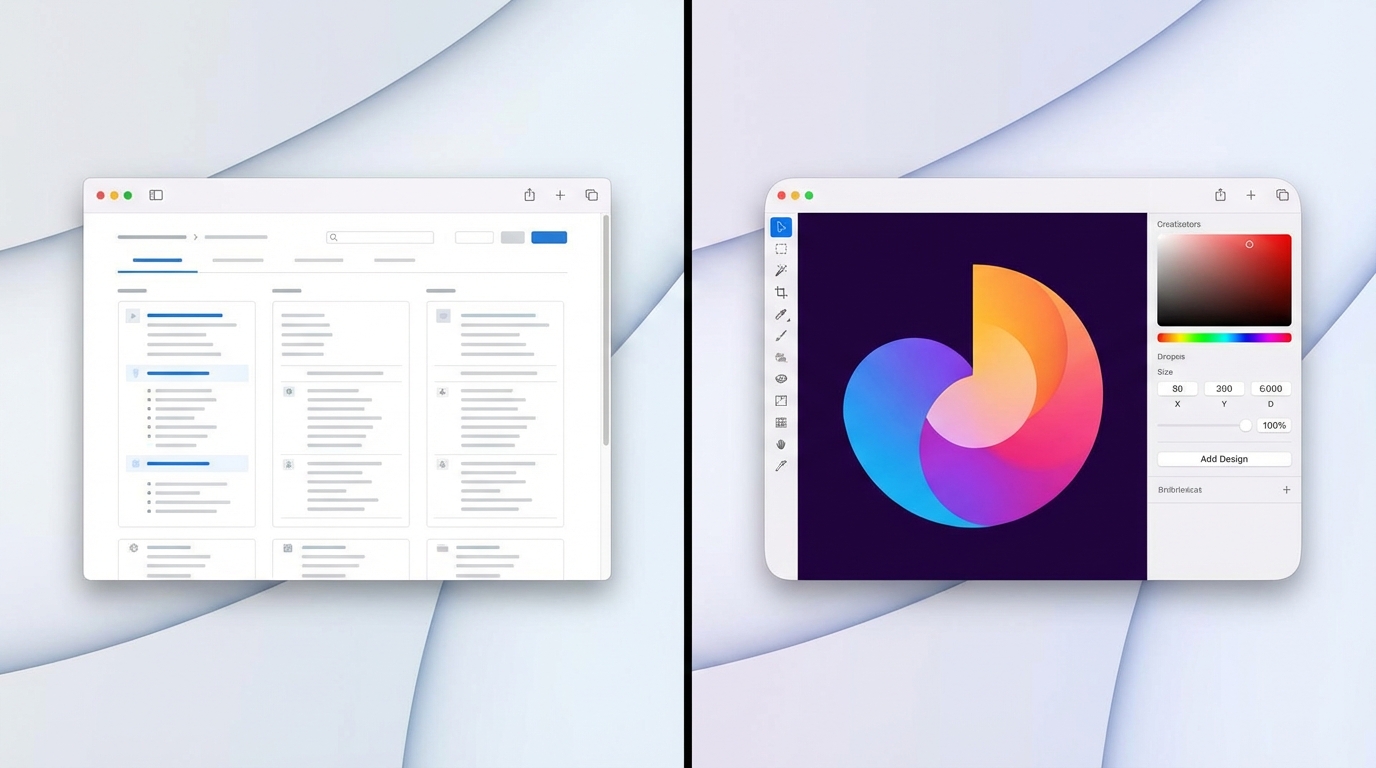
macOS 26 landed with renewed attention on small chrome details. In practice, not every window follows the same corner language: system apps such as Safari may read as “more rounded,” while other windows sit on a different curve or a flatter look. The mismatch is subtle per window but loud when you tile or alt-tab a lot.Design-minded users and developers called it out as polish regression—especially on a platform where uniform chrome used to feel like a default.
Some guides escalated to invasive mitigations, including advice that would weaken SIP so people could replace or patch protected system pieces. That class of change widens the blast radius if anything else goes wrong on the machine.
The source article argues for a different goal: instead of fighting Apple’s radius everywhere, standardize third-party apps toward one radius (for example ~23pt in the described build) using a loadable library and Objective-C swizzling on NSThemeFrame helpers such as cornerRadius, getCachedWindowCornerRadius, topCornerSize, and bottomCornerSize.
Deployment, as outlined, involves building and signing the dylib, placing it where launchctl can load it with a plist, and scoping impact to non-Apple GUI apps so system surfaces are left alone.
Why it matters
Uniform UI chrome is a trust signal. When corners disagree, the OS feels assembled rather than designed—even if nothing is “broken” functionally.Apple’s choices also echo outward: other apps mimic macOS language, so uneven defaults can spread as “whatever ships.”
The SIP angle is the serious part. Turning off core integrity for aesthetics normalizes dangerous habits; a compromise that keeps security features on and limits scope to user-launched third-party code is easier to reason about—though any injection still carries support and stability caveats.
Key details at a glance
- Observed issue: mixed corner radii and styles across applications after macOS 26.
- High-risk mitigation (discussed in community): disable SIP to alter system libraries for chrome.
- Stated downsides of SIP-off: weaker protection for root filesystem and system integrity assumptions.
- Alternative framing: enforce one radius on third-party Cocoa apps via injected dylib + swizzling on
NSThemeFrame. - Example target APIs:
cornerRadius,getCachedWindowCornerRadius,topCornerSize,bottomCornerSize. - Example radius in write-up: about 23.0 points for affected apps.
- Scope choice: skip Apple’s own apps in the described approach to avoid rewriting system UI bundles.
- Operational steps (per article): compile dylib, sign, install to a load path, trigger via
launchctlplist.
What to watch next
- Apple response — Point releases or design tweaks that unify chrome versus leaving the field to unofficial tools.
- Security stack interaction — Library validation, notarization, hardened runtime versus long-lived injection workflows.
- Packaged tooling — Third-party utilities with clearer UX and explicit “unsupported” disclaimers.
- Community norms — Discouraging SIP-off steps for cosmetic patches unless users understand full recovery paths.
The SignalStack angle
What we are not doing: endorsing dylib injection or SIP changes. What we are doing: comparing blast radius—system-wide integrity off versus scoped, user-launched third-party hooks.
1. Uniform chrome is a trust signal
When corners disagree, the OS feels assembled rather than designed. SignalStack’s read: Apple’s design tokens echo across the ecosystem; uneven defaults propagate.
2. Cosmetics are not worth tier-0 risk
Turning off SIP for aesthetics normalizes dangerous habits. Any unofficial mitigation should be weighed against support, updates, and threat model—even if scope is narrower than full SIP-off.
Disclaimer: Third-party hooks can break on OS updates; Apple does not support them.
FAQ
Q What is the actual complaint?A Windows on macOS 26 often disagree on corner roundness, so the desktop looks inconsistent app to app.
Q Why is SIP a big deal here?
A Disabling SIP removes a core integrity layer; it is a poor trade for visual tweaks unless you fully accept the security and support consequences.
Q What does the dylib approach change?
A It aims to reshape only third-party GUI app chrome via swizzling, leaving Apple system apps out of the hook set—narrower blast radius than patching system frameworks, but still unofficial.
Q Does Apple endorse this?
A No. Treat any injection as experimental: updates can break it, and Apple Support will not cover it.
Q Is “more rounded everywhere” the only aesthetic outcome?
A In the cited write-up, the author leans into making third-party windows consistently more rounded rather than flattening Safari-like curves.